Master CSS in 30 Days: Grab Your Free Ultimate Guide PDF
If you have ever stared at a screen in sheer frustration because your layout broke when you added a single line of text, you are not alone. CSS is the magic wand that makes the web look beautiful, but without a structured learning path, it quickly turns into a frustrating guessing game.
To take you from a confused beginner to a confident web developer, I put together the ultimate 30 Days CSS Series PDF. Whether you are building utility tools, styling a Next.js app, or just want to finally understand how to center a div, this free guide breaks everything down into bite-sized daily lessons.
Why CSS Feels Overwhelming (And How to Fix It)
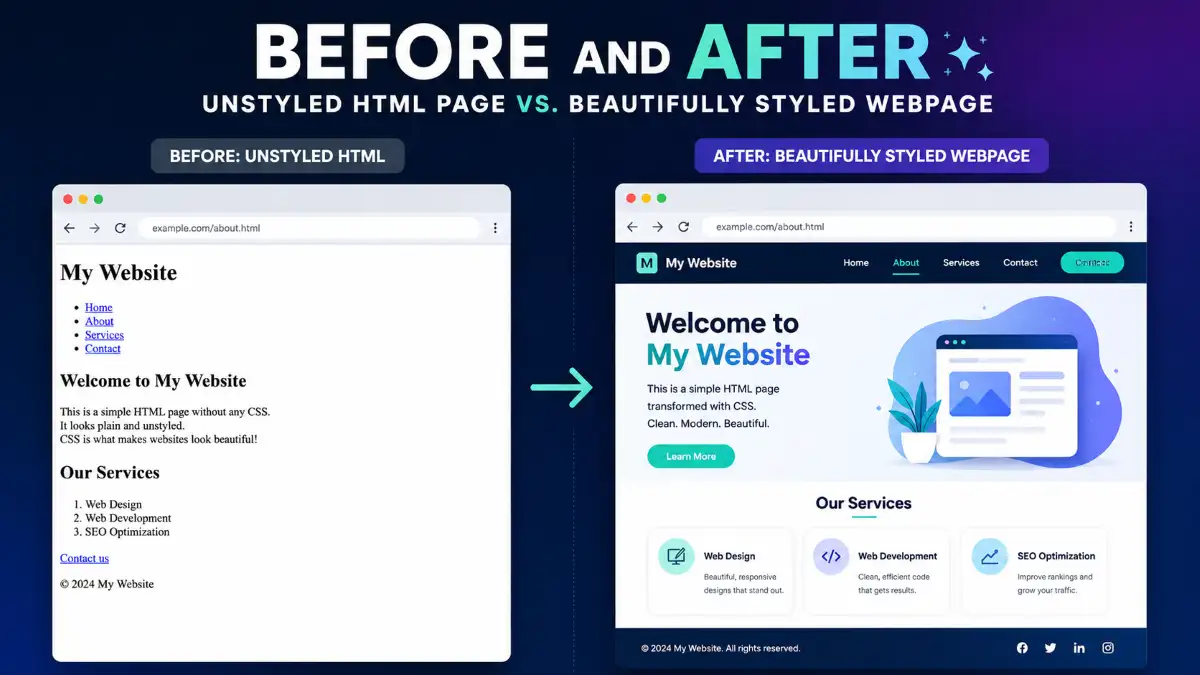
CSS controls the colors, layout, spacing, and fonts of your website. When you first start learning HTML, everything makes logical sense. But the moment you jump into styling, you are bombarded with units like px, em, rem, vw, and vh. You try to move an element to the right, and suddenly your entire navigation bar disappears.
The main reason CSS feels overwhelming is a lack of foundational understanding. Developers often rush straight into modern frameworks like Tailwind CSS without grasping how the underlying rules of specificity, positioning, and the box model actually dictate what happens on screen.
This 30-day guide changes that. It is designed to replace chaotic guesswork with pure, predictable logic. By spending just a few minutes a day on these highly visual, conceptual lessons, you will build a solid mental model of how CSS actually thinks.
What's Inside the 30 Days CSS Series PDF?
The guide follows a logical 30-day progression, here is a sneak peek at the roadmap:
The Core Fundamentals
Learn the difference between inline, internal, and external CSS. Confidently target elements using Element, Class, ID, and Grouping selectors. Demystify colors (HEX, RGB, RGBA) and master fundamental typography properties.
Spacing, Sizing & Positioning
Conquer the Box Model content, padding, border, and margin. Master display: block, inline, inline-block, and every position value plus z-index for layering.
Modern Layouts (Flexbox & Grid)
Say goodbye to floats. Deeply learn Flexbox for one-dimensional layouts and CSS Grid for two-dimensional page structures with visual cheat sheets for every alignment property.
Interactivity, Animations & Responsive Design
Add interactive states with pseudo-classes, inject content with pseudo-elements, build smooth @keyframes animations, write Media Queries for mobile-first responsive design, and write maintainable code with CSS Variables.
The CSS Box Model Visualised
Margin
Border
Padding
Content
Deep Dive: Key Concepts You Will Master
Here are three massive web-development headaches this guide will permanently solve:
The Box Model Mystery
Every element on a webpage is a box. Day 8 visually breaks down how padding creates space inside the border while margin pushes other elements away on the outside the foundation of every reliable layout.
Flexbox vs. CSS Grid
Flexbox is your one-dimensional tool for aligning items in a row or column. Grid is the two-dimensional powerhouse for full-page layouts. Days 15–21 give you visual cheat sheets for every property you will ever need.
Responsive Design & Media Queries
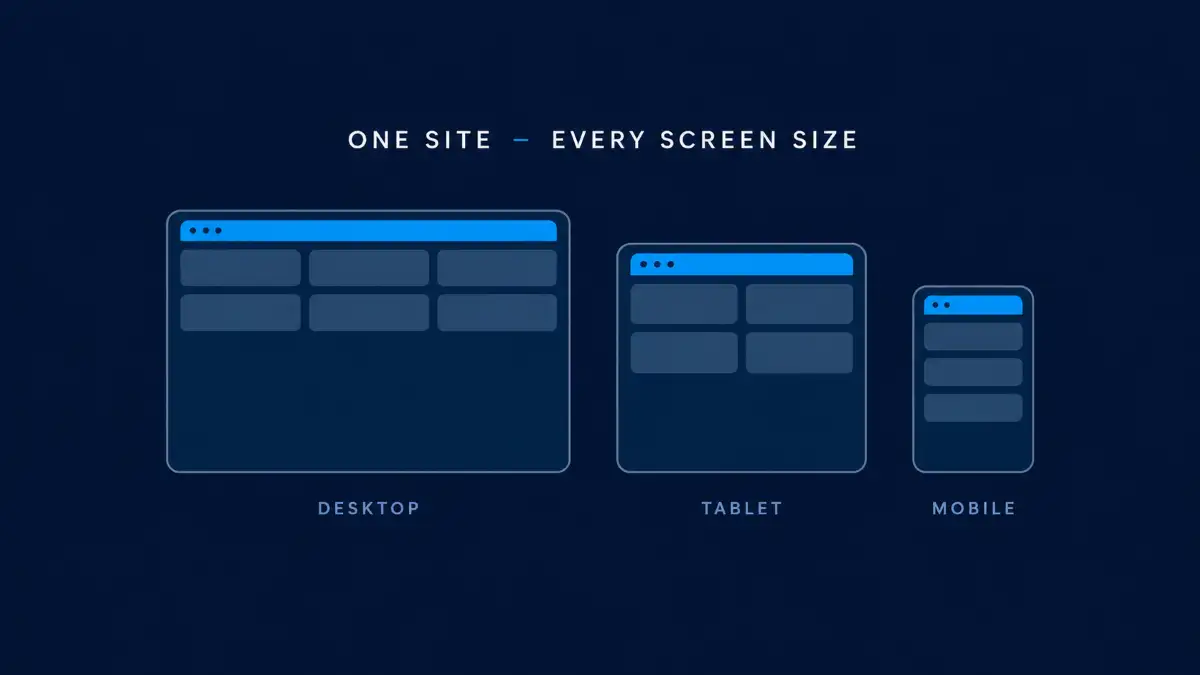
Day 29 teaches a mobile-first approach using @media queries with flexible units so your layout automatically adapts across every screen size.
Bringing Your UI to Life with Animations and Transforms
Days 26 through 28 focus on adding interactive motion. You will learn to use CSS Transitions for smooth property changes via duration and timing functions. Next, CSS Transforms will show you how to resize scale(), turn rotate(), and move translate() elements without breaking your layout. Finally, Day 28 introduces @keyframes for building infinite, multi-step animations to truly bring your UI to life.
Creating Depth: Backgrounds, Borders, and Shadows
Elevate your flat designs! Day 22 moves beyond solid colors, teaching you to use background images and linear gradients to make your UI more attractive. Next, Day 23 breaks down borders and shadows, demonstrating how box-shadow creates deep, elevated cards , and text-shadow adds stylish, readable flair to your typography
The Secret to Cleaner Code: CSS Variables
Maintaining stylesheets for larger projects—like the complex layouts we build at @digitaldevtools can quickly become a nightmare. Day 30 introduces the ultimate fix: CSS Variables. By defining a value once in your :root selector and accessing it viavar() , you can instantly update colors or padding site-wide by changing just one line. This guarantees cleaner code, faster updates, and a perfectly consistent design system.
Why You Should Stop Using Floats for Layouts
Day 14 covers float and clear, explaining why they are now considered legacy layout methods. While knowing them helps with maintaining older codebases, you should strictly use Flexbox or CSS Grid to build modern, responsive web designs today.
How to Use This Cheat Sheet for Maximum Results
Don't just download this PDF and let it gather digital dust in your downloads folder. To truly transition from beginner to CSS pro, you need to apply what you read.
Take It One Day at a Time
The guide is structured into 30 days for a reason. Read one lesson, open a blank HTML document, and practice that specific property before moving on.
Keep It Open as a Reference
When building your next project, keep this PDF on a second monitor. Quickly recall the syntax for a linear gradient or the timing functions for an animation no more Stack Overflow rabbit holes.
Build Real Projects
By the end of the 30 days you will have the confidence to build clean, responsive sites. Immediately apply this knowledge to real-world projects to solidify everything you have learned.
Free Download
Ready to Conquer Web Styling?
Grab your free copy of the ultimate 30 Days CSS Series PDF and start building beautiful, responsive websites today.
⬇Download the Free PDFNo email required · Instant access · 100% free
Freuently Asked Questions.
Quick answers to the things that trip up every developer.
What is the difference between Flexbox and CSS Grid?
Flexbox is a one-dimensional layout system it aligns items along a single row or column. CSS Grid is two-dimensional, giving you control over both rows and columns simultaneously, making it better suited for complex, full-page layouts.
When should I use padding vs. margin?
Padding is the space inside an element, between its content and its border. Margin is the transparent space outside the border that pushes neighbouring elements away. Both are core to the CSS Box Model.
What is the difference between display: block and display: inline?
float was the standard for page layouts in the past but is now considered a legacy technique. Modern web design relies on Flexbox and Grid for building responsive, reliable layouts. Floats are still occasionally used for wrapping text around images.
How do CSS variables work?
CSS variables store reusable values using the --name syntax e.g. --primary: #4CAF50. Reference them anywhere with var(--primary). Define global variables on :root for site-wide access, resulting in cleaner code and faster updates.
What are CSS pseudo-classes?
Pseudo-classes target elements in a specific state, adding interactivity without JavaScript. Common examples: :hover applies styles when a cursor is over an element, and :focus applies styles when an input is active.